Codegea

Development

Custom software developmentSystems, platforms and integrations built around your operationCorporate websitesProfessional, fast and built to inspire trustOnline storesCatalog, payments and shipping ready to sell 24/7WooCommerceFast WooCommerce stores with each country’s payments and invoicingLanding pagesA page focused on one goal: turning visitors into customersMobile appsCustom iOS and Android apps that put your business in your customers’ pockets

Integration and CMS

CMS integrationsWordPress, Strapi, Directus and Arc XP connected to your whole ecosystemArc XPSupport, implementation and integrations for the media platformMigrationsMigrate your site, platform or database without losing anything

Growth and infrastructure

AI automationTechnology does the repetitive work and your team focuses on what mattersOn-page SEOBe found and recommended by Google: technical and content optimizationServers & hostingFast, secure servers monitored 24/7
RetainerYour dev team, by the monthFrom 20h a month. Fixed fee.
An AI quoting tool to quote services in minutesProfessional quotes in minutes, with projects, sellers and payments tracked in one place.See the case

By type

EcommerceStores and catalogsCorporate sitesBrand and lead genPlatforms & appsCustom software

Explore

All projectsCases and resultsClientsWho trusts usRetainerMonthly dev team

Blog

All articlesGuides and opinionNewsletterOne email a monthContactWe reply in 24h

Latest articles

Integrating Piano, Cxense and Google Ad Manager with Arc XPCMS · 2026-10-13How to migrate from WordPress to Arc XP without losing SEOCMS · 2026-10-13Arc XP vs WordPress for a digital media outlet: when to make the jumpCMS · 2026-10-13
NewsletterJoin our newsletterPractical web, SEO and AI notes.
ServicesCustom software developmentCorporate websitesOnline storesWooCommerceLanding pagesMobile appsCMS integrationsArc XPMigrationsAI automationOn-page SEOServers & hostingYour dev team, by the month
ProjectsProfessional quotes in minutes, with projects, sellers and payments tracked in one place.EcommerceCorporate sitesPlatforms & appsAll projectsClientsRetainer
Retainer
BlogAll articlesNewsletterContactIntegrating Piano, Cxense and Google Ad Manager with Arc XPHow to migrate from WordPress to Arc XP without losing SEOArc XP vs WordPress for a digital media outlet: when to make the jumpJoin our newsletter
ESEN
Let's talk

Node.js

Mastering the Art of Web Scraping with Puppeteer: Advanced Strategies for Extracting Data Efficiently

Learn web scraping with Puppeteer in Node.js: automate navigation, extract dynamic data and capture screenshots and PDFs with advanced strategies.

Derian Pinto · Founder & Full Stack Developer2025-01-261 min
Mastering the Art of Web Scraping with Puppeteer: Advanced Strategies for Extracting Data Efficiently

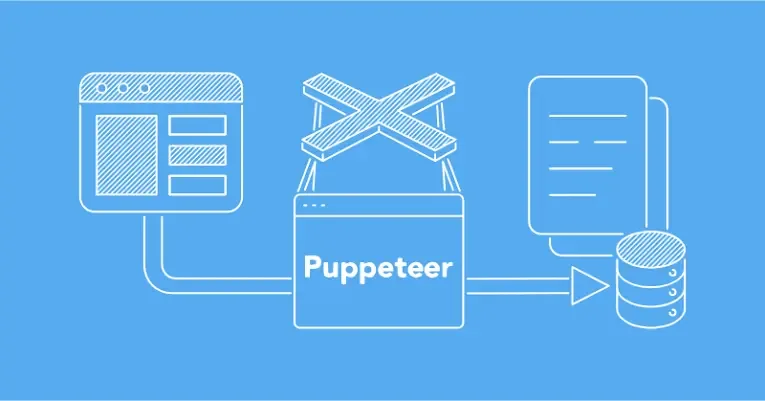
Web scraping has become an essential skill for web developers, and with tools like Puppeteer in Node.js we can take our data extraction strategies to the next level. In this article we will explore advanced strategies using Puppeteer to master the art of web scraping and efficiently extract data from dynamic web pages.

1. Getting started with Puppeteer:

Puppeteer is a Node.js library that offers full control over the Chrome or Chromium browser. To get started, install Puppeteer using npm:

npm install puppeteer

2. Automating navigation:

Puppeteer lets you automate navigation on a web page. The following code starts a browser instance, opens a new page and navigates to the desired URL:

const puppeteer = require('puppeteer');

(async () => {
  const browser = await puppeteer.launch();
  const page = await browser.newPage();
  await page.goto('https://example.com');
  // Rest of the code here
})();

3. Extracting dynamic data:

One of Puppeteer's strengths is its ability to interact with dynamic content generated by JavaScript. Use the *evaluate* method to run code in the context of the page and extract data:

const extractedData = await page.evaluate(() => {
  return {
    title: document.title,
    content: document.querySelector('.content').textContent,
    // Add more data as needed
  };
});

console.log('Extracted data:', extractedData);

4. Manipulating elements and user actions:

Puppeteer lets you simulate user actions, such as clicking buttons or filling in forms. This is especially useful for interacting with complex web pages before extracting data:

await page.click('#button-id');

// Example of filling in a form
await page.type('#name-field', 'MyName');

5. Screenshots and PDFs:

Puppeteer also offers functions to take screenshots and generate PDF files of the pages you visit. This can be useful for visualization and documentation:

// Take a screenshot
await page.screenshot({ path: 'screenshot.png' });

// Generate a PDF file
await page.pdf({ path: 'document.pdf', format: 'A4' });

Conclusion: taking web scraping to a new level:

By integrating Puppeteer into your web scraping projects, you can take advantage of its powerful ability to interact with dynamic web pages and extract data efficiently. These advanced strategies will let you face specific challenges and improve the quality of your results. Explore Puppeteer's possibilities and take your web scraping art to the next level!

Share this article?LinkedInWhatsAppX

Written by

Derian Pinto

Founder & Full Stack Developer

Founder of Codegea. Builds custom websites, stores and platforms, and integrates and supports Arc XP for media companies.

Join our newsletter

An email with news and practical web, SEO and AI notes. No spam, unsubscribe anytime.

Shall we build your project?

Need help? Chat with us